
Last week, I was working on a logo for a project with a very short deadline and pretty specific requirements. It wasn’t one of those open-ended creative briefs where you can experiment freely. It had to be clean, usable, and ready to go across a few different touchpoints.
So I didn’t really have time to overthink tools or workflows.
I just needed something that could get me from idea to a usable brand identity as quickly as possible.
That’s when I ended up with two options: Zawa and Looka.
Both of them looked solid. Both promised fast logo generation, ready-made brand kits, and an easy way to build something that felt like a complete identity instead of just a logo file.
And honestly, at that point, there wasn’t much reason to assume one would be significantly better than the other.
But I’ve learned that tools like this usually only reveal their real differences once you actually try to build something under real constraints.
So instead of comparing them theoretically, I used both of them the way this kind of situation demands, starting from scratch, building a brand identity, and seeing how far each tool could actually take me beyond just generating a logo.
That’s where things started to split.
Zawavs Looka: What Each Tool Actually Is
On the surface, both tools sit in the same category. They are AI tools that help you create a logo and build a basic brand identity without hiring a designer. If you’re searching for an AI logo maker, both platforms seem similar at first. The differences become much clearer once you start building a complete brand.
Zawa AI
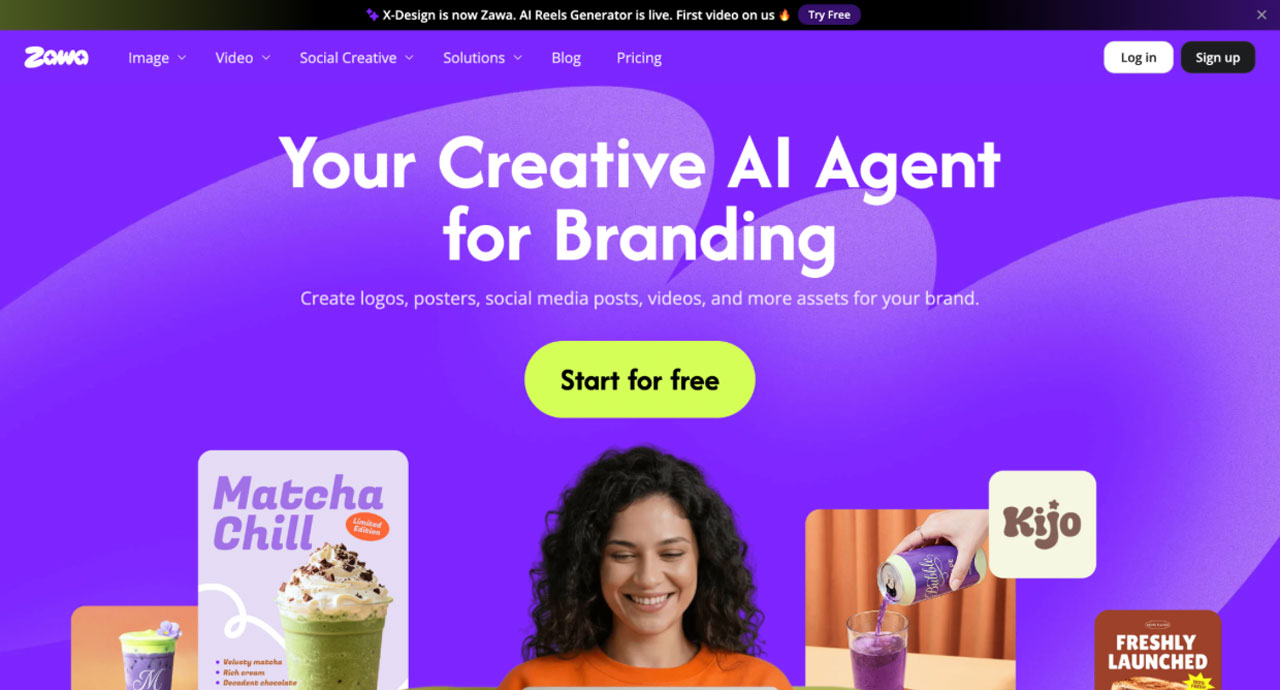
Zawa feels less like a standalone logo generator and more like a complete branding system.
It doesn’t just focus on producing a logo and stopping there. The flow naturally extends into defining a broader visual identity: brand colors, typography direction, design consistency, and even marketing-ready assets.
The idea seems to be that once your brand identity is defined, everything you generate afterward should remain aligned without constant manual effort.
In a way, it feels closer to a lightweight brand workspace than a logo generation tool.
Looka
Looka is more focused on helping you get a usable logo quickly.
The process is simple. You have to choose a style direction, and it generates multiple logo options along with a basic brand kit. The experience is fast and straightforward, with minimal need to think about structure.
But that simplicity also defines its limit.
Looka is designed to get you a finished logo and starter identity kit quickly.
Zawa AI, on the other hand, aims for something broader, a brand setup that can support ongoing creative output.
Logo Generation: Fast Templates vs Brand-Driven Creation
This is where the difference between the two tools starts to feel practical.
With Looka, the workflow is simple and structured.
You enter your brand name, choose your industry, and set a few style preferences. Within minutes, it generates a wide set of logo options.
From there, most of the work is about selecting a direction. And after that, just making small edits like adjusting fonts and layout.
It is fast and efficient, but it feels largely template-driven, where the AI is remixing existing design patterns into new combinations.
But Zawafeels more guided in its approach.
Instead of treating the logo as a standalone output, it leans toward building a broader visual direction first and then generating logos that fit into that system.
The results feel more connected to an overall identity rather than isolated design options.
Looka gives you speed and variety. Zawa feels more focused on consistency across a brand system.
In practice, this changes how you evaluate the output. It is no longer just about which logo looks better, but which one will still hold up when you start building everything else around it.
Brand Kit Depth – What Do You Actually Get Beyond the Logo?
With Looka, once I picked a logo, the platform generated a complete brand kit around it. I got logo variations, color palettes, and font recommendations. Plus, it offered business card designs and social media assets.
Everything was easy to access. If your goal is to get a logo and the basic assets needed to launch a business, Looka gets you there quickly.
But the experience felt very much like receiving a finished package. The logo comes first. The brand kit is built around it. And that’s largely where the workflow ends.
Zawa did it differently.
Once the logo was generated, it didn’t feel like the process was over. It felt like the brand had just been defined.
The platform naturally extended into other branded assets. Things like social posts, posters, and marketing visuals could be created while staying aligned with the identity that had already been established.
When preparing assets for different channels, I occasionally used an HD picture converter to maintain image quality when resizing visuals for different formats.
What stood out was the continuity. I wasn’t jumping from one asset to another and trying to make everything match manually.
The system already seemed to understand the visual direction I had chosen. For a quick project, the difference may not seem huge.
But if you’re planning to create new content regularly, the gap becomes much easier to notice. Looka gives you a brand kit, but Zawa gave me a brand system.
Customization & Editing: Manual Controls vs Prompt-Based Changes
This was another area where the difference became obvious.
With Looka, you get a good amount of control over the logo. You can change symbols, colors, and adjust layouts. It allows you to add a slogan and test different backgrounds. If you like making small design decisions yourself, the platform gives you plenty of options.
The only challenge is that reaching the exact result you want can take time. I often found myself making several adjustments before everything looked right.
That said, the manual controls can be an advantage for users who prefer fine-tuning individual design elements themselves rather than relying on AI-driven edits.
Zawa felt much more flexible.
Instead of manually editing every element, I could simply describe what I wanted through a prompt. The platform would then ask a follow-up question and update the design accordingly.
For example, when I wanted the branding to feel more appealing to a Gen Z audience, all I had to do was describe that direction in a prompt. The platform adapted the design accordingly without requiring me to manually adjust individual elements.
This made the process feel much faster, especially when I already had a clear idea in mind.
The customization also goes beyond logos. The same approach can be used for website designs and marketing creatives. That gives it a much broader scope compared to traditional logo editors.
For my workflow, Zawa felt easier to customize.
What I Found Out
The biggest difference wasn’t the number of customization features. It was how quickly I could get to a result that actually felt right.
Looka gives you a lot of control. In fact, if you prefer making detailed design decisions yourself, that level of control may be a benefit. Zawa gives you a clearer path to the outcome you’re aiming for.
Using Looka, I spent more time adjusting individual elements. With Zawa AI, I spent more time refining ideas and less time fixing designs.
More importantly, the output seemed stronger. The designs were closer to my original vision with fewer iterations. I wasn’t just getting results faster. I was getting better results with less effort.
That’s where Zawa stood out for me. The customization process felt more efficient, but the bigger advantage was the quality and consistency of the final output.
Pricing Comparison: Zawa vs Looka
| Feature | Zawa | Looka |
| Free Plan | Yes | Logo preview only |
| Entry Cost | Lower barrier to start | Requires payment to download logos |
| Pricing Model | Subscription-based | One-time logo purchase or brand kit subscription |
| Logo Generation | Included | Included |
| Brand Kit | Included in branding workflow | Available with Brand Kit plans |
| Marketing Assets | Included | Limited compared to Zawa AI |
| Website Design Tools | Available | Available |
| Ongoing Content Creation | Designed for recurring use | Primarily focused on initial branding |
| Best Value For | Businesses are creating branding assets regularly | Businesses that mainly need a logo and a starter brand kit |
My Take on Pricing
Looka can appear more affordable if your only goal is to create a logo and download the final files.
However, the value equation changes once you need additional assets. Social media graphics, marketing materials, website elements, and future branding needs often require separate tools or additional work.
Zawa felt more like an ongoing branding platform. While it follows a subscription model, it also covers a much broader set of use cases.
If you’re planning to create content and branded assets regularly, the overall value can be higher because you’re not paying for a logo alone.
For a one-time branding project, Looka may be enough.
For ongoing brand building, Zawa is the more complete investment.
Quick Logo or Full Brand Identity? Which Tool Fits Your Use Case?
After using both tools, the difference became pretty clear.
If you only need a logo, Looka is a good choice. The process is simple. In fact, for many small projects, that’s enough.
But branding rarely stops at a logo.
You may need social media posts. Website assets. Marketing creatives. New visuals a few weeks later.
This is where Zawafeels much stronger.
The platform is built for more than logo creation. It helps you create and expand a brand identity across different assets while keeping everything consistent.
That was the biggest difference for me. Looka helped me establish a brand identity. Zawamade it easier to keep building on it.
Final Verdict
After comparing both tools across logo generation, brand kits, customization, and long-term usability, my choice would be Zawa AI.
Looka is a good logo maker. It is fast and gives you everything you need to launch a basic brand identity.
But for most small businesses, a logo is only the beginning.
As the business grows, you’ll need social media creatives and other branded content. That’s where Zawa feels much more useful. Instead of solving one branding task, it helps support the entire branding journey. The platform is more flexible, and the outputs feel more consistent across different assets.
Most importantly, it saves time.
I spent less time making adjustments. In fact, I had more time working with designs that were already close to what I wanted.
So if your goal is simply to generate a logo, Looka is a solid option.
But if you’re building a business and expect your branding needs to grow over time, Zawais the better investment and the platform I would choose.