A weekend sale, pop-up market, or in-store event is coming up, but all you have is one photo. There’s no video footage and no time for another shoot. For small shops in Thunder Bay, a short promotional video can help local customers discover an event without professional filming or complicated editing.
The key is to make three things clear: what the event is, why people should attend, and when and where it takes place. With the right content, a single photo can become an effective event promotion.
How to Make an Event-Promotion Video from One Photo
Start by checking whether your photo is suitable for the event. Choose a clear image of the products, shop, or venue that represents what people can expect. The main subject should stand out, with enough space for text.
If you only have an event poster filled with dates, locations, and descriptions, there’s no need to animate the entire image with AI. The text may become distorted. Keeping the original poster and adding a simple zoom or camera movement is often a safer choice.
Decide What Shoppers Need to Know
Decide what makes the event worth attending before planning your video.
A 10–15-second event preview can have three parts:
- Opening: Introduce the event or its main attraction so viewers immediately know why it matters.
- Middle: Show the product or event photo and highlight what visitors can expect.
- Ending: Display the event date, start and end times, full address, and how to attend.
If registration or tickets are required, include a clear booking link. If admission is free, say so to save customers from having to ask.
Don’t show the date and address for just a moment. Keep the final information on screen for a few seconds so viewers have time to read it.
Turn the Photo Into a Short Video With Lanta AI
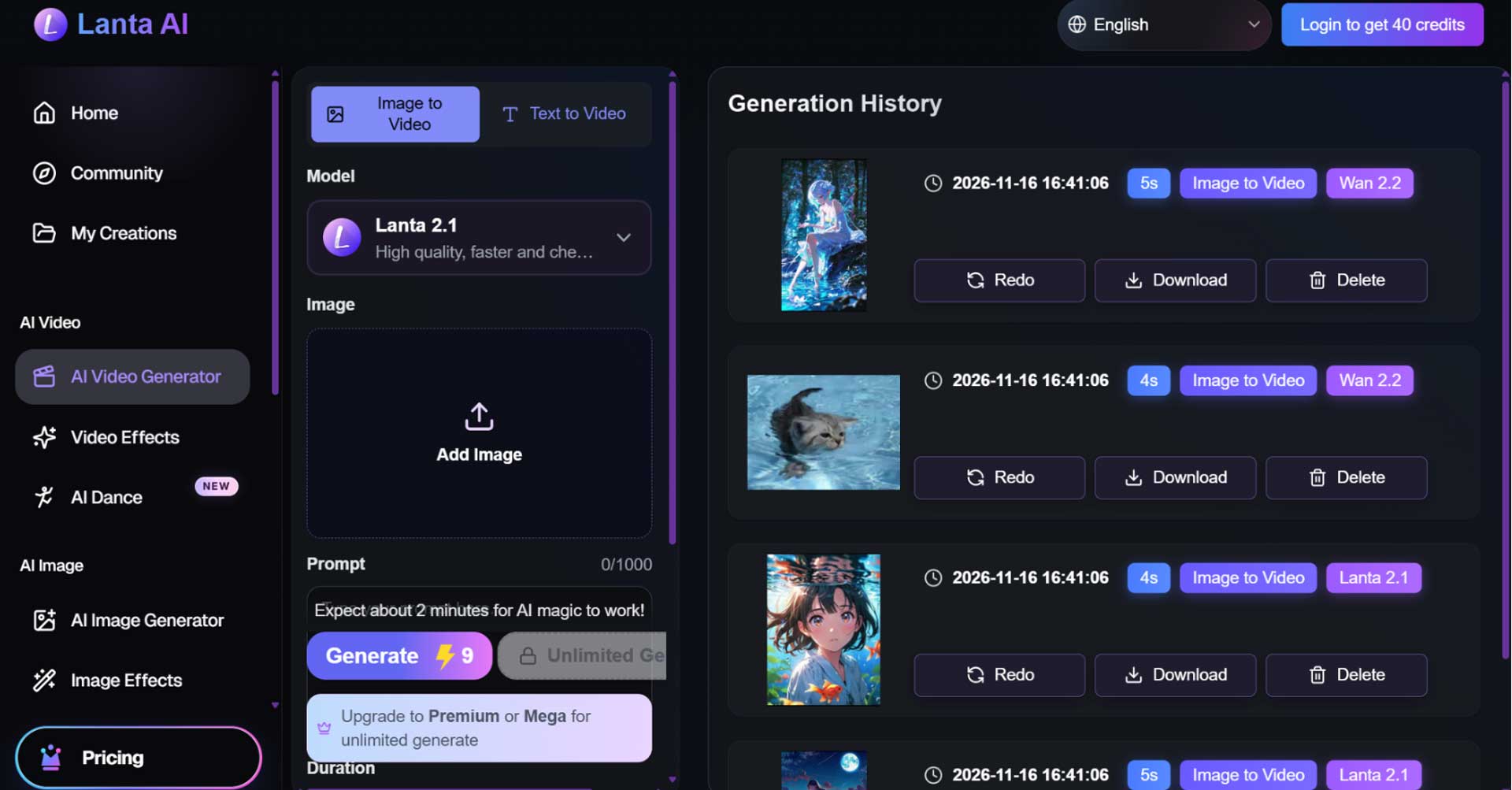
If you want to create a promotional video, you can use the Lanta AI free video generator.
Upload your original photo and describe the camera movement you want, such as a slow push-in or gentle pan. Ask the AI to keep the original products, people, and background unchanged.
Avoid complicated movements, especially AI-generated crowds or scenes from an event that hasn’t happened. Your promotional video should reflect the real event, not create false expectations.
After generation, check for distorted faces, products, signs, or backgrounds. Once the footage looks right, use a video editor to add event details, music, and an ending screen.
For Instagram Reels or Facebook Reels, consider a vertical format. Keep important text away from the edges so platform buttons and captions don’t cover it.
How to Reach Local Shoppers in Thunder Bay
Creating the video is only the first step. For an in-person event, the real goal is to reach Thunder Bay residents who might attend.
Start With Channels Your Customers Already Follow
Post the video on your shop’s Facebook and Instagram accounts first. Existing customers already know your business and may be interested in new products, special offers, or in-store events.
If several shops are hosting the event together, ask participating businesses and organizers to share the same video. Working together can help the event reach more local customers than promotion from a single shop.
Thunder Bay also has several local channels worth exploring:
- Waterfront District BIA: If your event takes place in the Waterfront District, contact the organization to see whether it can be included in local promotions.
- Thunder Bay Chamber of Commerce: Its #tbaymarketplace shares member business activities and offers. Eligible businesses can explore these promotional opportunities.
- Local event calendars: Submit your event to Thunder Bay community calendars if it meets their listing requirements.
- Google Business Profile: Create an event post with the correct date, time, description, and relevant links so customers searching for your shop can find it.
Always include Thunder Bay and the exact event location. A general neighborhood name isn’t enough. Customers need a clear address to find your shop.
Post Before Customers Make Their Weekend Plans
Don’t wait until the event starts to share your first announcement.
For a weekend event planned in advance, try this schedule:
- 5–7 days before: Share the main video so customers can plan ahead.
- 1–2 days before: Post a reminder with the date, time, and attendance details.
- On the event day: Share a final reminder with the address, opening hours, and any important updates.
This is a simple schedule that small businesses can adjust based on their events.
You don’t need to create a new video for every reminder. Reuse the footage and update the text.
If the event time, location, or entry requirements change, update every channel promptly so customers don’t arrive with outdated information.
How to Promote an Event Without Spending Much Time or Money
For a one-time event, there’s no need to spend most of your budget on video production.
One good photo, simple motion, and clear event details are often enough for a basic promotion.
If the original photo already looks good, use a video editor to add zoom effects, text, and music. If you want more natural camera movement, consider AI image-to-video.
Don’t spend hours generating dozens of versions for a few seconds of promotional footage. Start with one clear, complete video, then adjust the format and text for different platforms.
Views alone shouldn’t determine whether the promotion worked.
For events that require registration, track sign-ups and link clicks. For in-store sales, use an event-specific discount code or simply ask customers at checkout how they heard about the event.
These methods won’t measure the impact of every video view, but they can help you understand which channels actually bring in customers.
For your next event, save the video layout and replace the photo, date, and event details. This can save even more preparation time.
Conclusion
Small shops in Thunder Bay can create short event videos from a single photo without a professional filming team. Lanta AI helps businesses make low-cost promotional videos that, combined with clear event details and local marketing channels, can reach nearby customers and encourage them to visit.