

The new touch models start at $3,999 in Canada. For many consumers, a MacBook Air with enough memory remains the more practical purchase
TORONTO — Apple is bringing touchscreens and tandem OLED displays to the MacBook Pro, introducing new 14-inch and 16-inch models that will arrive in Canada on November 6.
The launch expands the company’s push into artificial intelligence, but consumers do not need its most expensive laptop to benefit from AI.
For most home, school and office buyers, NetNewsLedger’s recommendation is to start with an M5 MacBook Air with 16GB or 24GB of memory and at least 512GB of storage.
For the past decade the NetNewsLedger newsroom has used Apple MacBook Pros and MacBook Air laptops for our newsroom. One of the reasons for this is how seamlessly Apple products work together. From the iPad, the iPhone and the MacBook Pro or MacBook Air, the workflow moves together.
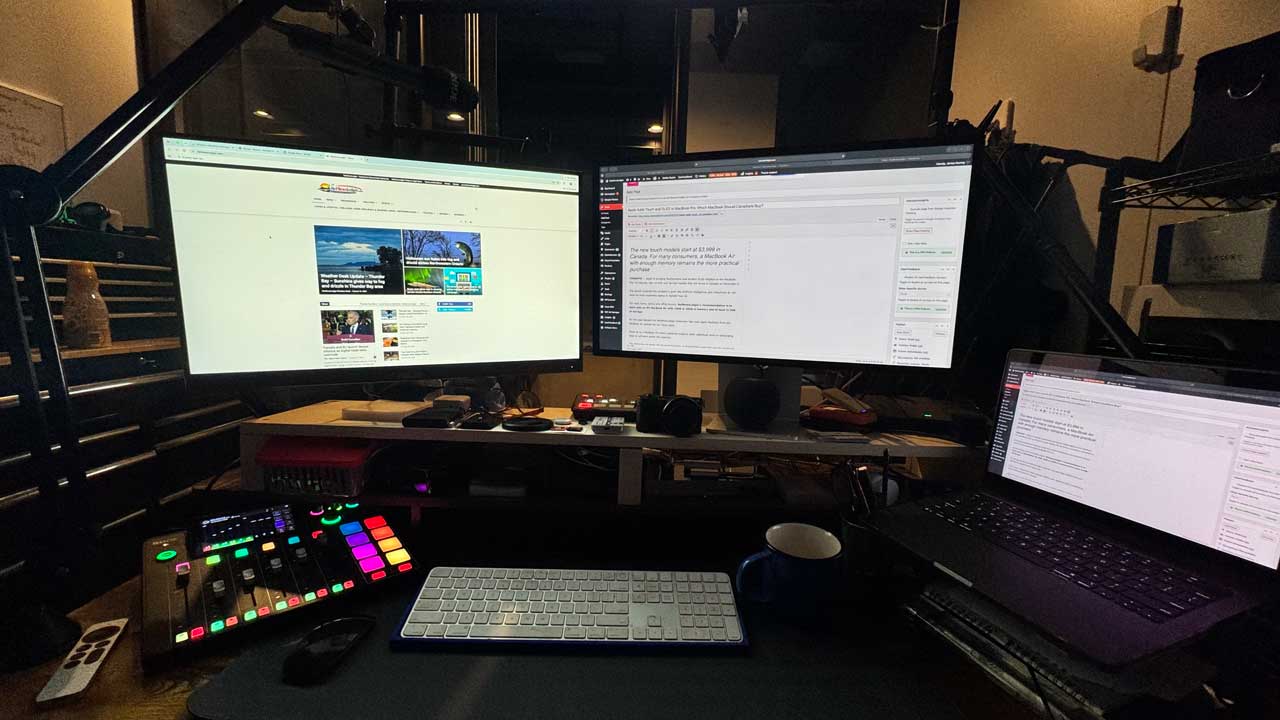
Getting the job done is the goal, and for us, this works best in the Mac World.
As your needs evolve you can move up to a MacBook Pro when sustained creative work, additional ports or demanding local AI software justify the expense.
The distinction is where the AI work happens. A cloud-hosted assistant runs its model on remote servers. A downloaded model running on the Mac must fit within the laptop’s available memory and use its processing power.
The new MacBook Pro with PROLED XDR Display uses M5 Pro or M5 Max chips. Canadian starting prices are $3,999 for the 14-inch M5 Pro model and $4,799 for the 16-inch version. M5 Max configurations start at $6,299 and $6,599 respectively. Pre-orders are open.
Apple has also introduced a conventional, non-touch 14-inch MacBook Pro with M6, starting at $2,799, and a 24-inch M6 iMac starting at $2,099. Both reach customers beginning November 6. The iMac is an option for buyers who want a desktop rather than a portable computer.
What the new display offers. The PROLED XDR screen uses two OLED layers and supports touch alongside the keyboard and trackpad. Apple lists refresh rates up to 120Hz and P3 and Adobe RGB colour support. Brightness reaches up to 2,000 nits at peak, with up to 1,000 nits sustained across the full screen; those are different measurements. A nano-texture option reduces glare.
Apple also adds Dynamic Island to the touch models and advertises battery life of up to 24 hours. That rating is not a promise of 24 hours of intensive AI processing. Buyers considering the premium should look for independent tests of sustained performance, battery life and touchscreen usability.
Start with the lower-cost choices. Apple’s Canadian listings put the MacBook Neo at $949, the 13-inch M5 MacBook Air at $1,799 and the 15-inch Air at $2,099. These are entry prices, before taxes, checked October 31; adding memory or storage increases the cost.
The Neo offers a route into the Mac for basic browsing, documents and online AI services. Its fixed 8GB of memory and 256GB or 512GB storage options make it a less flexible choice for heavy multitasking or ambitious local AI work. Choose the 512GB version if the budget allows and you expect to keep files locally.
The Air is our stronger general-purpose recommendation. Choose the 13-inch model for portability or the 15-inch model for more screen space. Both use a fanless design. For frequent long video exports, rendering or sustained local AI sessions, a MacBook Pro’s active cooling is a reason to consider spending more.
These suggested configurations are buying recommendations, not minimum requirements for every app:
| Main use | Suggested MacBook | Unified memory | SSD storage |
|---|---|---|---|
| Basic web use on a tight budget | MacBook Neo | 8GB, fixed | 512GB preferred |
| Home, school, office and cloud AI | M5 MacBook Air, 13 or 15 inch | 16GB; 24GB for heavier multitasking | 512GB |
| Photography, coding and frequent multitasking | M5 MacBook Air, or MacBook Pro with M6 for sustained work | 24GB | 1TB |
| Learning local AI with smaller models | MacBook Pro with M6; M5 Air for occasional use | 32GB | 1TB |
| Complex video projects and heavy creative workloads | MacBook Pro with M5 Pro | 48GB | 1TB–2TB |
| Larger local AI models and longer document workloads | MacBook Pro with M5 Pro or M5 Max | 64GB; assess 128GB for specific specialist needs | 2TB or more |
Buying for AI requires a closer look at memory. Apple calls its RAM “unified memory” because the processor and graphics hardware share it. That memory holds the apps and AI models currently in use. The SSD stores their files.
For a consumer using cloud-hosted AI to write, research, plan or help with coding, 16GB is a reasonable starting point. Choose 24GB if you regularly keep many browser tabs, office applications and photo tools open. Paying for an M5 Max does not make a remotely hosted AI model run on your laptop.
Local AI changes the calculation. Tools such as LM Studio can run downloaded language models without an internet connection. That can be useful for people travelling or working where connectivity is unreliable, including parts of Northwestern Ontario. Download the model and required software before heading offline.
LM Studio recommends at least 16GB of RAM, while noting that 8GB machines need smaller models and modest context sizes. For a new purchase intended for local AI, our suggested starting point is 32GB. Consider 48GB or 64GB when the specific models and workloads require more.
Model size, compression, the amount of text being processed and the number of simultaneous tasks all affect memory needs. Ollama’s documentation notes that longer contexts and parallel requests increase memory use. A model fitting in memory also does not guarantee that it will respond quickly enough for your work. Check the exact model and software requirements before ordering.
Apple Intelligence itself combines on-device processing with server-based processing through Private Cloud Compute. Buying an AI-capable Mac does not mean every AI feature operates offline.
The M6 name does not settle the buying decision.
The M6 MacBook Pro offers a 12-core CPU and 12-core GPU, starts with 16GB of memory and a 1TB SSD, and supports a maximum of 32GB of memory. The M5 Air also tops out at 32GB.
M5 Pro configurations support 48GB, with 64GB available on the version with a 20-core GPU. The higher M5 Max configuration supports up to 128GB. Buyers who need that capacity must choose the appropriate chip and configuration; selecting a newer base-generation chip is not a substitute for enough memory.
Apple continues to list non-touch MacBook Pro models with M5 Pro and M5 Max. Compare those with the OLED models before paying for the new display. Touch and OLED may be valuable for visual work, but sufficient memory is the priority when your chosen AI model would otherwise not fit.
Choose storage around the files you keep. Modern MacBooks use solid-state drives, or SSDs, rather than traditional spinning hard drives. Our practical targets are:
- 512GB: A sensible starting point for general use, documents and a moderate photo collection, especially with external or cloud storage.
- 1TB: A useful choice for photographers, developers and people downloading AI models. It leaves more room for applications, project files and working data.
- 2TB: Worth considering for regular video editing, larger photo libraries or several substantial local AI models.
- 4TB or more: Best justified by a known need to carry large working libraries. Price external storage before paying for a very large internal SSD.
Buy the memory you expect to need when ordering: these MacBooks do not offer a user RAM-upgrade path. Internal SSD capacity should also be treated as a purchase-time decision, although external drives can add file storage later. Keep a separate backup of important files.
If the budget forces a choice between more RAM and a larger SSD, favour sufficient RAM for your workload and use external storage where practical. A larger drive can hold more AI model files, but it does not provide the same working capacity as additional RAM.
For an everyday buyer, the M5 Air with 24GB and 512GB is our balanced recommendation, with 1TB worth adding for a growing photo or project library. For regular local AI experiments, consider a 32GB MacBook Pro with M6 and 1TB. For larger models or demanding creative work, compare a MacBook Pro with M5 Pro, 48GB or 64GB of memory, and 1TB–2TB of storage against the actual requirements of the software you plan to use.