
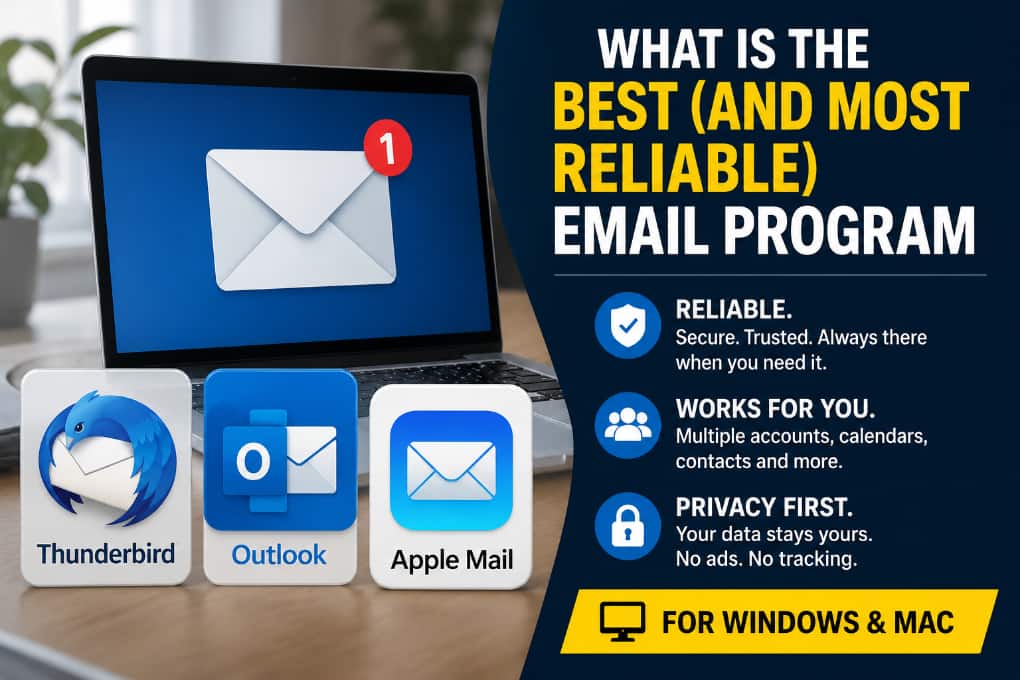
THUNDER BAY – TECH – For most home users, small businesses and professionals, the “best” email program is not the one with the most buttons.
It is the one that reliably sends and receives messages, searches old mail, works with several accounts, stores messages safely, respects privacy and is likely to still be supported years from now.
The verdict: Thunderbird is the best all-around choice for most users
The best overall email program for both Windows and macOS is Mozilla Thunderbird. It is free, open source, cross-platform, privacy-conscious and mature. It works with multiple email accounts, calendars and contacts, and it supports unified inboxes for people managing several accounts at once. Thunderbird says it is funded by user donations, does not sell ads in the inbox and is open source.
That does not mean Thunderbird is the best choice for everyone.
For a Microsoft 365 workplace, Microsoft Outlook is still usually the safest business recommendation. For a Mac user who wants simplicity and does not need advanced business tools,
Apple Mail is the most reliable low-maintenance choice. For privacy-focused users already committed to Proton Mail, Proton Mail’s desktop app is worth considering.
Best overall: Mozilla Thunderbird
Thunderbird is the strongest recommendation for users who want a dependable email program that is not tied to a single technology company’s ecosystem. It runs on Windows and macOS, supports multiple accounts, and brings messages, calendars and contacts into one desktop application.
The biggest advantage is independence. Thunderbird works well for people with Gmail, Outlook.com, IMAP accounts from an internet provider, domain-based email, nonprofit accounts or multiple addresses from different providers. It is also a good option for users who want their email program to feel like traditional desktop software rather than a browser window.
For reliability, Thunderbird’s strengths are long-term continuity, open standards, strong local storage, customization and a large support community. Its current release model includes frequent updates, bug fixes and security patches, while its ESR channel offers a more conservative long-term release track.
The trade-off is that Thunderbird can feel less polished than Apple Mail or Outlook. Some users may need time to configure folders, signatures, calendars and add-ons. For people who want a “set it and forget it” tool, the first setup may feel more technical.
Best for business: Microsoft Outlook
For offices using Microsoft 365, Exchange, Teams, shared calendars and corporate contacts, Outlook remains the most practical and reliable business email program.
It is deeply connected to Microsoft’s productivity suite and is often the default choice for businesses, schools, governments and larger organizations. Microsoft’s Office Home & Business 2024 includes the classic Outlook app, while Microsoft 365 includes Outlook as part of its subscription productivity tools.
The important caution is that Outlook is in transition. Microsoft has ended support for Windows Mail, Calendar and People, and those older Windows apps can no longer be used to send or receive email. Microsoft is moving users toward the new Outlook for Windows.
For many business users, classic Outlook remains more powerful than the new Outlook, particularly for complex workflows, local archives, .pst files and advanced account setups. Microsoft’s own support page says opening .pst files in new Outlook requires classic Outlook to also be installed.
The bottom line: Outlook is the best choice when your workplace is built around Microsoft 365. For personal users who simply want reliable email, Thunderbird or Apple Mail may be simpler and less expensive.
Best for Mac users who want simplicity: Apple Mail
Apple Mail is the best choice for many Mac users because it is built into macOS, integrates with Contacts, Calendar and system notifications, and supports common account types including iCloud, Gmail, Exchange, school, work and other email accounts.
Its biggest strength is low friction. There is no separate purchase, no additional subscription and no third-party app to maintain. For users already in the Apple ecosystem, Apple Mail is usually good enough and often the most stable choice.
Apple Mail also includes privacy features that make it harder for senders to track when a message is opened. Apple says Mail Privacy Protection can hide a user’s IP address from senders and privately download remote content in the background.
The limitation is that Apple Mail is less attractive for users who want the same email program on both Windows and Mac. It is also not as strong as Outlook for Microsoft 365 workplace calendars, shared mailboxes and enterprise administration.
Best paid alternative for power users: eM Client
eM Client is a strong paid alternative for people who want a modern desktop email program on both Windows and macOS. It supports Gmail, Microsoft 365, Outlook, Exchange and other services, and it combines email, calendar, tasks, contacts and notes in one application.
Its advantage is polish. Users who find Thunderbird too technical but do not want Outlook may prefer eM Client’s interface. It is especially worth testing for consultants, salespeople, managers and small business owners who live in email all day.
The drawback is cost. Thunderbird and Apple Mail are free. Outlook may already be included in a workplace Microsoft 365 licence. eM Client has to be good enough for the user to justify paying for it.
Best for privacy-focused Proton users: Proton Mail desktop
Proton Mail’s desktop app is the best fit for users who already use Proton Mail and want a dedicated desktop experience on Windows or macOS. Proton says the desktop app gives users the full Proton Mail and Proton Calendar experience from the desktop.
This is not the best general-purpose email program for everyone because it is designed around Proton’s service. For users who want to combine Gmail, Outlook, internet provider email and several IMAP accounts in one traditional client, Thunderbird or eM Client is a better fit.
Programs to avoid
Do not build your email setup around the old Windows Mail and Calendar apps. Microsoft says support for Windows Mail, Calendar and People ended on Dec. 31, 2024, and users can no longer send or receive email or events using those apps.
Users should also be careful with obscure “free” email apps that have unclear ownership, weak privacy policies, limited update histories or no export path. Email contains banking alerts, health information, business records, personal photos, contracts and password-reset links.
A mail app should be treated as sensitive software, not a cosmetic download.
Reliability checklist before choosing an email program
A reliable email program should meet five basic tests.
It should support standard email systems such as IMAP and SMTP. It should receive security updates. It should allow backups or exports. It should work with two-factor authentication or app passwords where required. It should have a clear business model that does not depend on selling access to the user’s inbox.
For most users, IMAP is the better account type because it keeps mail synchronized across a phone, laptop and tablet. Microsoft describes IMAP as the recommended method when checking email from several devices.
Final recommendation
For most Windows and macOS users, choose Thunderbird.
For Microsoft 365 workplaces, choose Outlook.
For Mac users who want the least hassle, choose Apple Mail.
For users who want a polished paid desktop client, test eM Client.
For Proton Mail users focused on privacy, use the Proton Mail desktop app.
The best practical answer is simple: use the email program that fits your ecosystem, but make sure your mail is backed up, your password is unique, two-factor authentication is turned on, and your app is still receiving updates.