
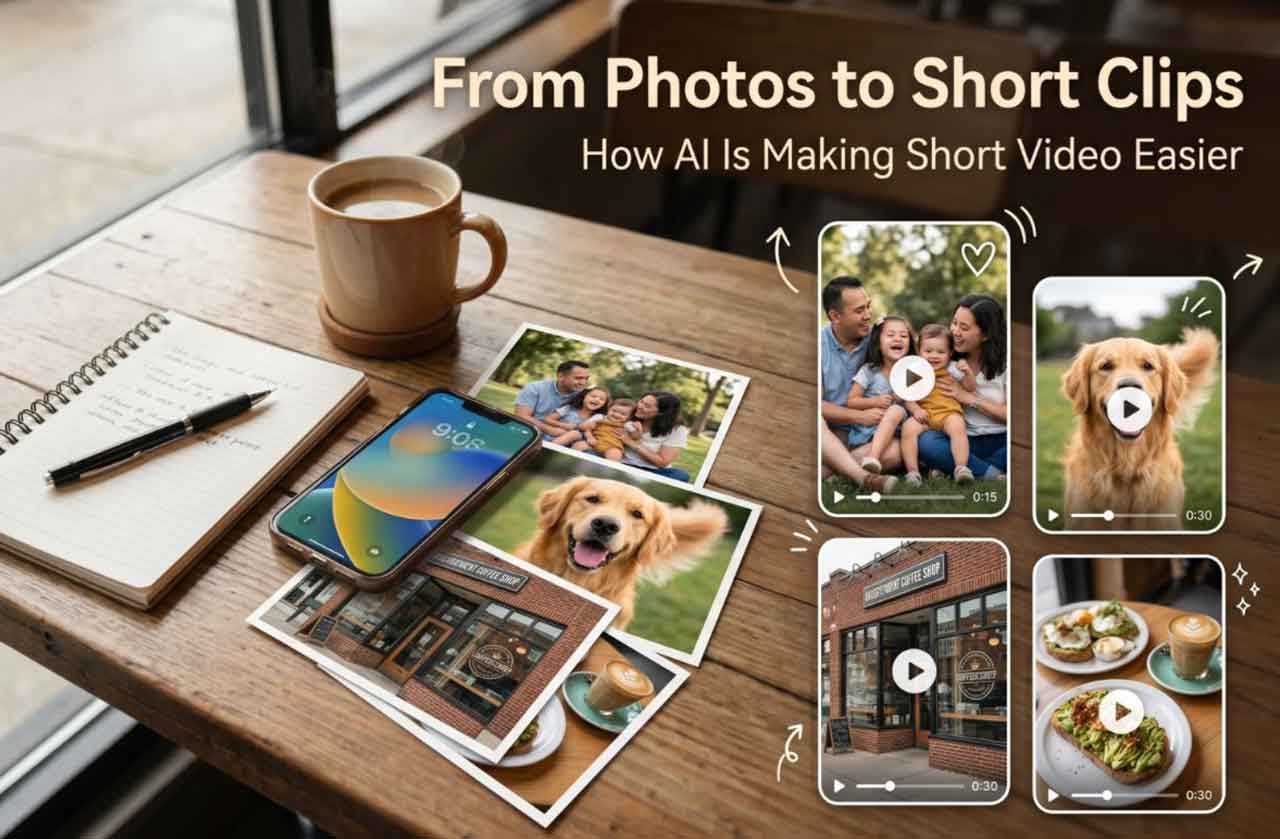
Everyone Has Photos, But Not Everyone Can Make Videos
I have thousands of photos on my phone, and most of them rarely go anywhere. A few get posted. Some sit in albums. Many are only seen again when my phone decides to show me a memory from three years ago. That is probably true for a lot of people.
The rise of short video has changed what people expect from everyday images. A still photo can be meaningful, but a short moving clip often feels easier to share. It carries a little more atmosphere. It can turn a family moment, a pet photo, a product shot, or a travel memory into something that feels alive for a few seconds.
An AI photo to video tool can help turn a still image into a short moving clip for social posts, local promotions, or personal memories. GoEnhance AI is an online image and video generation and editing platform, and tools like this are becoming relevant because many people want video content without learning complicated editing software.
That is the practical side of the trend. Most users are not trying to make a film. They are trying to make a photo feel more shareable.
Why Short Video Matters for Everyday Users
Short video has become the language of social platforms. It works for family updates, local events, small business promotions, school activities, restaurant specials, community fundraisers, real estate listings, and travel memories. The format is short enough to watch quickly but dynamic enough to hold attention.
For everyday users, the barrier has always been editing. A person may have good photos but no time to learn timelines, keyframes, transitions, or export settings. A small business owner may have product images but no budget for frequent video production. A community organizer may have event photos but no editor to turn them into a recap.
That is why AI photo animation feels useful. It starts with the material people already have.
From Static Pictures to Moving Stories
A still picture can become a short story with only a few changes. A slow camera push can make a portrait feel more intimate. Subtle movement in the background can add atmosphere. A small lighting shift can make a travel photo feel cinematic. Even a simple motion effect can make a product image feel more suitable for social media.
I have found that the best results usually come from clear, simple photos. A strong subject, visible details, and a clean composition give the tool more to work with. Busy images can still work, but they need more careful review.
| Photo Type | Possible Motion Effect | Useful Scenario |
| Family photo | Gentle camera movement | Holiday or birthday memory |
| Pet photo | Subtle expression or scene motion | Social post or personal share |
| Food photo | Light motion and close-up feel | Restaurant promotion |
| Storefront image | Slow cinematic movement | Local business intro |
| Travel photo | Atmospheric scene motion | Vacation recap |
The goal is not to make every image dramatic. Sometimes the best effect is quiet. A small amount of motion can make the image feel warmer without making it look unnatural.
Family, Pets, Travel, and Community Memories
The most obvious use case is personal memory. A family photo from a birthday dinner, a graduation picture, or a holiday gathering can become a short clip that feels more suitable for sharing with relatives. Pet photos are another natural fit because people already love posting them, and even a little movement can make the image more engaging.
Travel photos also benefit from this format. A mountain view, city street, beach scene, or hotel balcony shot can become a short visual postcard. Instead of posting ten static images, a person can create a few moving clips and build a simple travel recap.
Community events are a strong local use case. A school fundraiser, sports event, market day, church gathering, or neighborhood celebration often produces many photos but not much video. AI photo animation gives organizers a way to make recap content without needing a full editing setup.
How Local Businesses Can Use AI Photo Animation
Local businesses may find this even more practical than casual users. Many small businesses already take photos for Facebook, Instagram, Google Business Profile, menus, flyers, or newsletters. Turning some of those photos into short clips can help them publish more dynamic content without scheduling a new shoot.
A restaurant can animate a food image for a daily special. A real estate agent can add motion to listing photos. A salon can turn service photos into short promotional clips. A gym can use class photos for an event recap. A local shop can animate product images for seasonal posts.
For users who only want to test a simple motion effect, tools that help them make photo animation online free can be a practical starting point.
| Local Use Case | Photo Source | Short Video Idea |
| Restaurant | Dish or drink photo | Daily special clip |
| Real estate | Room or exterior photo | Listing preview |
| Fitness studio | Class photo | Event recap |
| Salon or spa | Service result photo | Social promotion |
| Local market | Booth or product photo | Weekend announcement |
This does not replace professional video for major campaigns. But for regular social posting, it can make a noticeable difference.
What Users Should Check Before Sharing AI-Made Videos
A short AI-generated video still needs review. I would check whether the motion looks natural, whether the subject remains clear, and whether the clip feels appropriate for the audience. If people appear in the image, consent matters. A family photo is not automatically something everyone wants shared publicly.
Small businesses should also think about brand consistency. A motion effect that looks playful may work for a café but feel wrong for a law office or medical practice. The tool may create the movement, but the user still has to decide whether the result fits the message.
A few basic checks help:
- Is the original photo clear enough?
- Does the motion look natural?
- Are people in the image comfortable with public sharing?
- Does the clip match the tone of the page or business?
- Would captions or context make the post easier to understand?
These details separate a useful short clip from something that feels careless.
Why This Feels More Useful Than Complicated Editing Software
Traditional editing software is powerful, but it can be intimidating for casual users. Not everyone wants to learn layers, masks, transitions, frame rates, or export formats. Many people simply want to take a photo they like and turn it into something slightly more engaging.
That is why this type of AI tool feels practical. It begins with a familiar action: upload a photo. The user does not need to plan a shoot, record new footage, or build a timeline from scratch. For personal content and small local promotions, that lower barrier matters.
The result may only be a few seconds long, but that is often enough. In a social feed, a few seconds can make the difference between a photo that gets ignored and a clip that makes someone stop.
Short Video Creation Is Becoming More Accessible
AI photo-to-video tools are not replacing professional videographers. They are opening a smaller, more everyday category of video creation. Families can make memories feel more alive. Local businesses can post more dynamic updates. Community groups can turn event photos into recap clips. Creators can test visual ideas without needing a full editing workflow.
That is the part I find most interesting. The technology is not only for people who already make videos. It is for people who have photos, stories, products, and moments sitting unused.
Short video used to require footage. Now, for many simple use cases, a good photo may be enough to start.