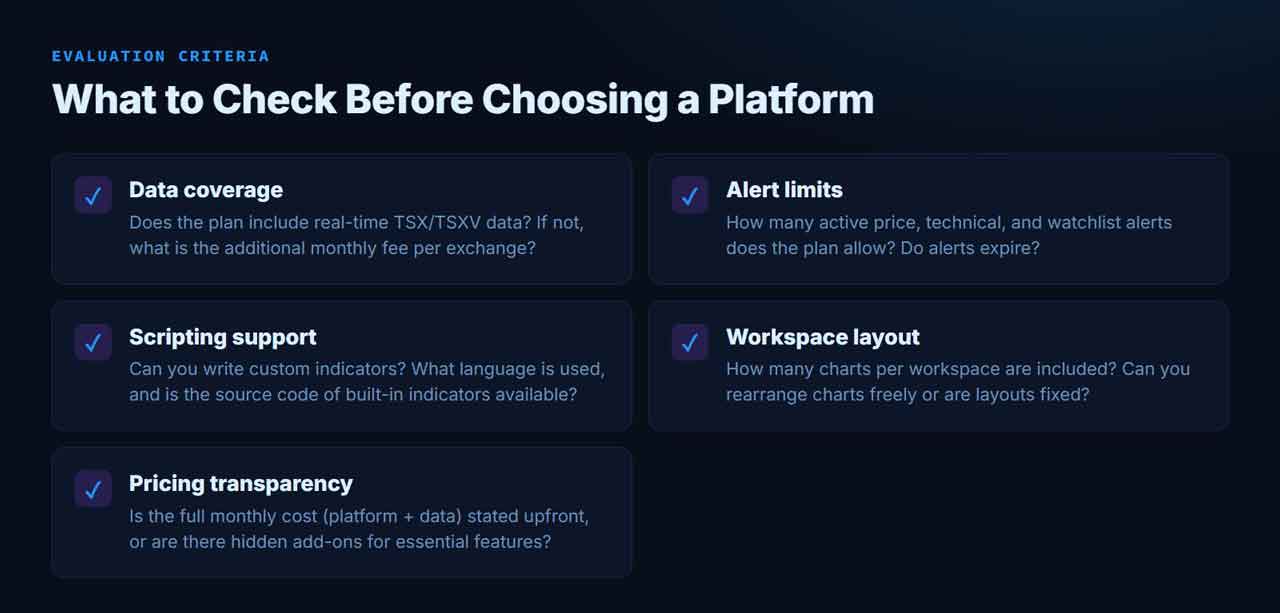
Choosing a charting platform feels straightforward until the first bill includes exchange data fees that double the expected cost. For investors who trade TSX and TSX Venture stocks, the difference between a free delayed feed and a real-time subscription can be US$20 per exchange per month before the platform subscription is even added. The trick is not to pick the most popular platform but to run through a short checklist before signing up.
Data Coverage: The Real Cost of Canadian Markets
Most platforms advertise multi-market support, but what you see depends on where you look. TradingView, for example, provides delayed TSX and TSX Venture data (15-minute delay) on its free tier. Real-time access for each exchange costs an additional US$19.95 per month, according to the platform’s data coverage page as of October 2026. That means an investor who needs live quotes from both venues faces US$39.90 in exchange fees before the platform plan.
TC2000’s pricing page lists optional data feeds and alert add-ons, but the official materials do not clearly confirm full real-time TSX/TSXV coverage. The safest route for Canadian investors is to verify symbol-level availability with the platform or, better yet, check whether a broker-integrated charting option already covers those exchange fees. TradingView allows users with certain broker accounts to bypass separate data purchases, though eligibility depends on the broker, account status, and professional classification.
Alert Limits: A Hidden Capacity Ceiling
Free and low-tier plans often cap the number of active alerts, and those limits can break a multi-asset watchlist almost immediately. TradingView’s free plan, based on a March 2026 snapshot, permits five active price alerts, one technical alert, and two watchlist alerts—with a two-month alert duration. For an investor tracking ten stocks across two timeframes, that ceiling is reached in a single afternoon. If each position requires a separate alert for entry and exit signals, a portfolio of 20 holdings could need 40 active price alerts—far beyond free-tier limits.
Paid plans raise those limits, but the numbers vary significantly: TradingView’s higher tiers list 20 to 1,000 active price and technical alerts depending on the plan. TC2000 charges separately for extra alert capacity—US$10 per month for 100 additional alerts or US$25 for 500, according to its October 2026 pricing. When comparing platforms, always check two numbers: the maximum simultaneous alerts at the plan you need, and whether alerts expire after a set duration.
Scripting and Custom Indicators
A platform’s indicator library is only as useful as the ability to extend it. Some platforms offer a fixed set of tools; others let users write custom scripts. For investors who rely on proprietary strategies or need to adapt common indicators to specific entry rules, scripting support is a critical differentiator.
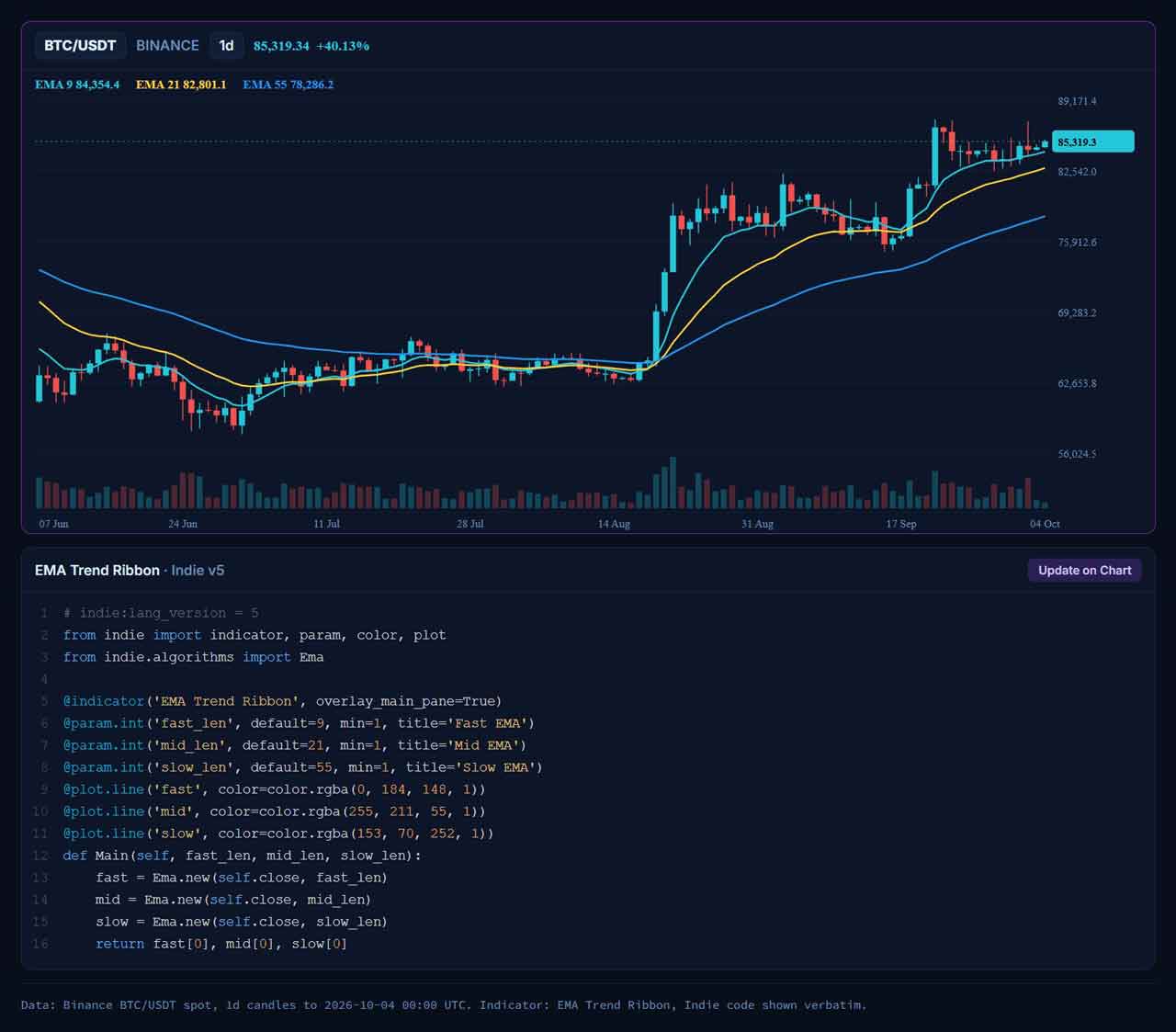
TakeProfit is one example of a platform that approaches scripting differently. It uses a Python-style language that lets users write custom indicators and strategies. All built-in indicators on the platform are implemented in that language and are open for forking, meaning the code behind them is visible and modifiable. The language runs on TakeProfit’s servers, so heavy calculations do not tax the browser, and the same indicator can power cloud alerts that run even when the user is offline. For those coming from other platforms, the Python-like syntax makes the transition relatively straightforward—the platform’s official documentation, including the Quick start guide and the open-source built-in indicators, provides a good starting point to get familiar with the language. Additionally, the platform supports an MCP server that allows an LLM to write, convert, or validate code, which can help users who are not experienced coders.
Workspace Flexibility and Multi-Asset Workflows
Investors who monitor multiple markets simultaneously need workspaces that let them arrange charts freely. Some platforms restrict the number of charts per layout on lower plans, forcing users to upgrade just to see a two-by-two grid. Others offer unlimited charts and floating windows. Before subscribing, know how many charts you need open at once and whether the plan allows that number without moving to the next price tier. Also consider whether workspace settings sync across devices—a feature that is often reserved for paid subscriptions.
A Quick Checklist for Comparing Platforms
When evaluating any platform, keep this short list of questions handy:
- Does the platform include real-time TSX/TSXV data in the base price, or is it a separate fee?
- How many simultaneous alerts does the plan allow, and do alerts expire?
- Can you write custom indicators? What does the platform use for custom scripting?
- How many charts per workspace come with the plan? Can you add more?
- Is there a free trial or money-back period to test the real workflow?
These criteria help separate advertised features from the actual experience of using the platform for Canadian markets. Detailed pricing and feature comparisons are available from platform comparison pages like this TradingView alternative guide, which lays out data coverage and workspace flexibility side by side.
Bottom line
Canadian investors should treat charting platform comparison as a multi-step process. The advertised subscription price is often only half the story—exchange data fees, alert limits, and scripting restrictions can add cost and frustration. By checking data coverage first, verifying alert capacity, evaluating customisation options, and testing workspace flexibility, you can choose a platform that fits both your strategy and your budget.