
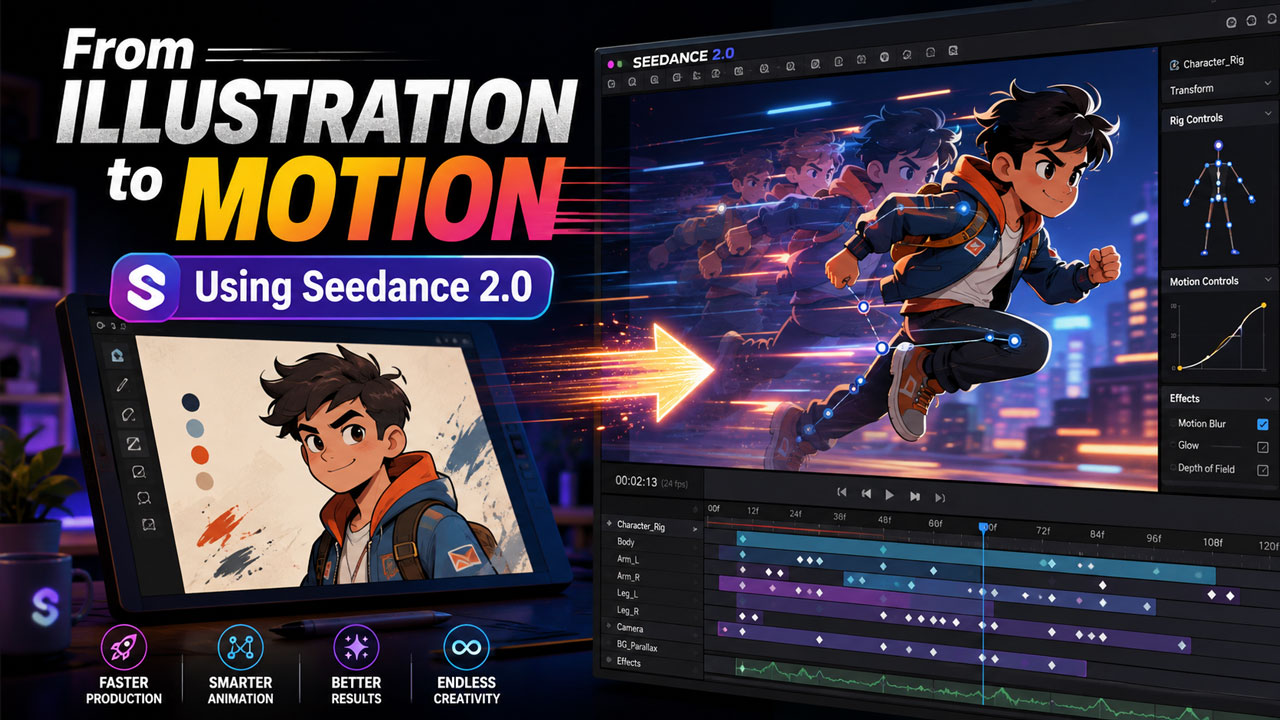
An illustration can imply an entire world in one frame. The angle of a character’s shoulders suggests a previous action, a curtain appears ready to move, and a distant light hints at something outside the composition. Animation turns those suggestions into decisions. The creator must choose what moves, what remains still, how long an action lasts, and where the viewer looks next.
Seedance 2.0 gives illustrators and animation teams a way to explore those decisions with image, text, video, and audio references. A finished drawing can become the anchor for a motion study, while a rough performance or camera reference supplies timing. The process can make early experimentation faster, but preserving the illustrator’s design requires careful direction and review.
Identify the Motion Already Inside the Image
Before adding effects, I like to look for forces that the illustration already implies. Wind may push fabric in one direction. A character may lean toward an object. Repeated lines may suggest rhythm. Light may lead the eye from foreground to background. These clues offer a natural starting point.
The first motion study should be small. A blink, shifting shadow, moving hand, or change in depth may be enough to test whether the image wants to become a loop, a shot, or the beginning of a longer sequence. Moving every element at once can weaken the composition that made the still image effective.
With Seedance 2.0, creators can describe specific movement while using the original artwork as a reference. A clear prompt separates primary action from secondary motion and states what must remain stable. This gives the model a more useful task than simply asking it to animate the picture.
Prepare Artwork for Consistent Movement
A beautiful image may contain ambiguities that become visible only in motion. A hand may be hidden, a garment may merge with the background, or an object may not have a clear back side. Traditional animation solves these questions through design sheets, turnarounds, and layered files. AI-assisted production benefits from the same preparation.
A reference pack can include the hero illustration, clean character views, color guidance, prop details, and alternate expressions. If the scene moves through space, environment sketches from more than one angle help define what lies beyond the original frame.
Seedance 2.0 can combine multiple visual references, but conflicting designs create uncertainty. Old character versions, experimental palettes, and unrelated style images should not enter the same active set without explanation. A compact pack of approved material gives the output a clearer identity.
Protect the Illustrator’s Line and Shape Language
Style is more than color. It includes line weight, edge quality, shape simplification, texture, proportion, and the way light is represented. Motion can preserve the subject while quietly replacing those choices with a more generic look.
Review should focus on the spaces between frames, not only attractive stills. Do outlines breathe consistently? Do facial features remain designed rather than becoming realistic? Does texture move with the object, or slide across it? Does the character retain the original silhouette during a turn?
If a shot drifts, it may be better to shorten the movement or use a more limited animation approach. Seedance 2.0 does not need to create full character motion in every scene. A controlled camera move, parallax effect, or environmental change can preserve the illustration more effectively than a complex performance.
Use Motion References as Direction
Text can describe an action, but timing and weight are easier to communicate through a reference. An animator can record a gesture, create a rough blocking pass, or use a simple object to demonstrate the path of motion. The reference does not need finished production value; it needs clarity.
Seedance 2.0 can use video references for character action and camera behavior. Applying a rough performance to an illustrated character may help the team evaluate posture and timing before committing to a longer sequence. Original references are especially valuable because they are tailored to the scene and avoid uncertainty about reuse rights.
The stylized character should not inherit every realistic detail of the performer. A broad graphic design may require simplified arcs and fewer small gestures. The animator’s role is to decide which qualities of the reference belong in the illustrated world.
Separate Character, Camera, and Environment Motion
A shot may contain several kinds of movement, but they do not all need to be solved at once. The character performs an action, the camera changes position, and the environment contains secondary motion such as rain, light, smoke, or leaves. Testing these layers separately makes problems easier to identify.
If the character works with a fixed camera, the team can then test whether camera movement adds meaning. If the camera move works over a still scene, environmental motion can be introduced without changing the composition. This method produces more useful feedback than regenerating a completely different shot each time.
Generated layers may eventually be combined with conventional compositing, masks, typography, and effects. Seedance 2.0 can supply motion studies or source clips, while an editor or compositor controls the final relationship between elements.
Design Loops with a Real Beginning and End
Illustrations often become short loops for social posts, streaming canvases, websites, and displays. A loop feels satisfying when the ending prepares the beginning. A character may return to the original pose, an object may move in a cycle, or the camera may follow a path that reconnects invisibly.
Simply repeating a clip can create a visible jump. The action needs a stable starting state, enough time to develop, and a return that does not feel rushed. Secondary motion should also complete its cycle or be designed so its discontinuity is hidden.
Seedance 2.0 can generate short footage and extensions, but the final loop should be built in an editing tool where exact frames can be compared. A small dissolve may hide a seam, although a well-designed physical cycle usually feels stronger than a transition used to cover incompatible endpoints.
Let Sound Reveal the Scale of the World
Sound can make a still visual world feel larger than the frame. Distant traffic, room tone, insects, machinery, or a passing train suggests activity that the viewer never sees. A close sound, such as fabric or a pencil, makes the illustrated action feel physical.
Because Seedance 2.0 can work with audio references and generate scene-related sound, audio can guide timing during development. A loop may follow a repeated sound, while a narrative shot uses silence before a small action. Sound should support the image rather than force constant movement.
Final audio needs its own controlled workflow. Levels, seamless looping, music rights, and delivery formats should be checked separately. The visual file may appear on platforms where sound is optional, so the central action must remain readable without it.
Build Sequences One Purposeful Shot at a Time
A longer animated piece is easier to control when each shot has a job. One establishes the world, another introduces the character, and a third reveals the change. Asking one generation to produce an entire narrative can make continuity and pacing difficult to revise.
I would create a moving storyboard first, even if many panels remain still. Timing those panels against dialogue or music reveals whether the story works before detailed motion begins. Generated studies can then replace specific panels where movement needs to be tested.
Editing remains the place where rhythm becomes clear. A striking shot may need to be shortened, reordered, or removed if it interrupts the sequence. The ability to generate more material does not reduce the importance of choosing less.
Review Rights, Credits, and Source Material
The original illustrator’s permission and intended usage should be clear before artwork enters a generative workflow. Style references found online are not automatically available for commercial production, and a prompt should not be used to imitate a living creator’s identifiable work without authorization.
Project records should connect each clip to its source art, prompt, motion reference, rights information, and review status. If several artists contribute to a production, approved character and environment materials need clear ownership and version labels.
This record also protects creative credit. AI-assisted motion does not erase the decisions embedded in the original illustration, performance reference, design sheets, edit, sound, and compositing. A transparent production history makes those contributions easier to recognize.
A Platform Note for Returning Creators
People with older bookmarks should know that Seedance2.ai has moved to Seevio.ai. The migration notice states that existing accounts, credits, subscriptions, purchase records, and creation history continue at the new destination. Studios and independent creators should update shared workflow documents.
The platform change is a useful reminder to keep assets portable. Character guides, palettes, prompts, source illustrations, motion tests, and final exports should live in an organized project archive rather than exist only inside one service.
Motion Should Extend the Drawing’s Intent
The most successful animated illustration does not feel as though movement was poured over a finished image. It feels as though the motion was discovered inside the design. Seedance 2.0 can help creators test that discovery through references, short actions, camera studies, and evolving environments.
Human judgment protects the qualities that made the original artwork distinct. Someone must decide how much movement is enough, whether a gesture belongs to the character, when texture has begun to drift, and which generated variation supports the sequence.
Used with restraint, AI video can become one stage in a broader animation process that includes illustration, direction, performance, editing, compositing, and sound. The goal is not to make every still image move. It is to give the right image a new dimension without losing the hand, idea, and visual logic that gave it life in the first place.