
The Best Camera is the One That You Have With You
Thunder Bay – TECH – The most important part of improved photography is having a camera with you. Today almost everyone has a smartphone with them. The quality of the images an iPhone can create are often enough for almost all the people who use them.
So can those images be improved? Yes. in this article we will share some ideas that are fairly easy to implement.
1. Know Your iPhone’s Capabilities
Current Flagships and What’s Coming
-
The iPhone 16 series (16, 16 Pro, 16 Pro Max, and the more affordable 16e) features advanced 48 MP “Fusion” cameras, powerful A18 chips, and Camera Control on compatible models for quick adjustments when capturing the shot
-
Additionally, these devices support Action mode, Cinematic mode, and enhanced Apple Intelligence features like Photographic Styles and live editing tools Apple.
-
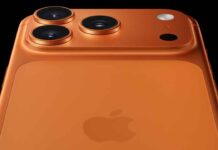
Soon, Apple will unveil the iPhone 17 lineup—including the iPhone 17 Air, Pro, and Pro Max—with major camera upgrades, including a potential 48 MP telephoto and new AI-powered imaging tools
What it means for you: If you’re already using an iPhone 16 or newer, you’re equipped with impressive hardware and smart tools. If you’re thinking about upgrading, see if those new features are game-changers—otherwise, improving your technique and using the right apps can go a long way.
2. Master the Basics — Traditional Technique Matters
Before turning to apps, solid technique will yield the biggest improvement.
-
Keep your lens clean—a simple wipe can dramatically improve clarity
-
Enable Gridlines to apply the rule of thirds for better composition and balance BeFunky.
-
Tap to set focus and exposure—adjust the slider to avoid under- or over-exposure
-
Use Portrait mode on supported models to isolate your subject with a beautiful depth-of-field effect
3. Unlock Hidden Features in the Stock Camera App
-
Swipe up in the Camera app to reveal controls—access filters like Noir (B&W) and other creative tools Lenscraft Photography.
-
Use Pano mode for sweeping landscapes—still a classic trick that works beautifully
4. Top Camera & Editing Apps You Should Try
Adding third-party apps can help push your creativity further:
-
Halide Mark II — widely regarded as the best professional-grade camera app for iPhone
-
FiLMiC Firstlight — great for capturing high-quality stills with precision controls petapixel.com.
-
ProCamera+ — an all-in-one powerhouse for shooting and editing
-
Adobe Lightroom (iOS) — best free option for powerful editing tools
-
Darkroom — excellent for quick, intuitive photo edits
-
Reddit users also suggest Snapseed and Lightroom for enhancing shots post-capture, and Moment for manual control while shooting
5. Combine Hardware and Software Smartly
-
Start with good technique: clean lens, proper framing, focus, and exposure.
-
Shoot with the stock Camera app to take advantage of reliability and built-in modes.
-
Bring in apps like Halide or FiLMiC when you need manual precision.
-
Polish your favorite shots in an editor—Lightroom, Darkroom, or Snapseed can all deliver pro polish.
Final Verdict
You don’t need to break the bank for professional-looking photography. Leverage your traditional instincts—composition, light, clarity—and pair them with the powerful iPhone hardware and user-friendly apps. Use what you have smartly, and let technique lead.
Curious which app suits your workflow best, or want tips for specific types of shots—portraits, food, landscape? Just say the word—I’ve got your back.